When it stays personal
A useful workflow.
A hidden starting point.
One person + their AI → a useful automation.
The know-how stays with them.
Your team’s AI memory
AffinityAI is the shared memory for how your company works with AI. Save useful automations, find what teammates have built, and carry improvements forward.
For teams of 5–200 people. ChatGPT cards and Slack discovery in pilot. Join us early.
“Save this to AffinityAI.”
Keep working where you work best. AffinityAI remembers the useful approach, source and setup for the next person.
From one person’s discovery to a team’s head start
Someone figures out a better way. The next colleague should be able to find it, understand it and build on it.
When it stays personal
One person + their AI → a useful automation.
The know-how stays with them.
With a shared memory
People + their AI → AffinityAI → a teammate’s next improvement.
Purpose · Source · People · ChangesSmall effort. Shared benefit.
Keep building where you work.
Help the next person find what already exists.
A report, a customer follow-up, a whole routine. When an automation or method is worth reusing, keep its story.
“Save this to AffinityAI.” Your connected assistant captures the purpose, source, setup and known limits. Choose who can see it.
“Do we have an automation for this?” Find a useful match, check its requirements and pick it up in the source tool.
Useful on an ordinary Tuesday
From a handy method to an end-to-end automation: understand what exists before building it again.
Reporting
Find the YouTube reporting automation, its source version and the account access needed to adapt it for your channel.
Client work
Discover a teammate’s Make or n8n flow, see what triggers it and learn which accounts and checks it needs.
Everyday operations
Find an app built in Sites or a code project, what it helps with, who maintains it and where to open it.
Illustrative use cases. A saved reference does not connect a platform, grant access or prove that an automation works.
Good work keeps getting better
AffinityAI remembers the original, your own version and what changed. You decide which improvements belong in yours.
See who created the workflow, who has marked it as in use, and how it has changed. An adapted copy keeps its connection to the original.
Follow useful workflows and check Updates, or ask your connected assistant to explain the changes. Keep the detail behind a simple question.
Compare your saved version with the improved original. Review what to keep, preview the result, and confirm the changes you want.
“Add a comparison with last week.”
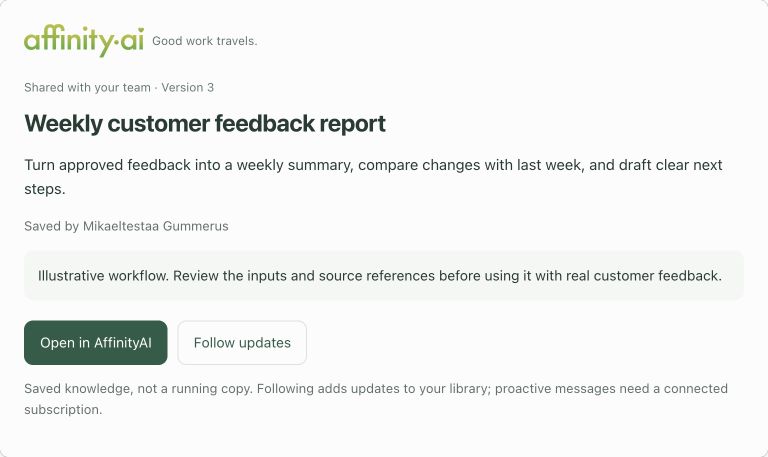
A saved update changes the shared instructions. Running code and automations still need changes and checks in their own tools.
Following and reviewed updates are in the pilot. Proactive ChatGPT notifications are not yet verified; you can check for changes when you need them.
Keep your options open
Your team’s useful work should stay understandable when tools change or people move on.
Export the saved instructions, source references and setup for a colleague or another AI assistant—even if you leave AffinityAI. See what can move and what needs adapting.
When a colleague changes roles or leaves, pass on the shared record with its setup, source and optional history. Give the next maintainer a useful starting point.
Keep dated source observations and their evidence alongside the workflow. A maintainer can see what was compared and what still needs checking before relying on it.
Record exports and source-check history are available in the test workspace. Moving an automation still needs source access, account handover and sometimes adaptation. A source check is not a test run.
A head start for your AI coding agent
Give your agent a saved workflow so it can build on what your team already learned. For illustration, suppose building from scratch would take 16 hours of agent work.
Your agent starts with the approach, setup and known pitfalls. It spends less time working them out again.
When suitable source code is available, your agent can adapt existing parts instead of rebuilding them. It still needs to check and test the result.
Ask your agent to check AffinityAI before it starts. A useful workflow gives it a clearer starting point for your automation.
Hypothetical examples of AI coding-agent working time saved, not measured results or a promise. Both start from the same assumed 16-hour build; they are alternatives, not combined savings. Human setup and review time are separate. Actual savings depend on the task, agent, source access and compatibility.
Fewer repeated attempts may reduce token use, but reading a saved workflow adds context. We have not measured the net effect, so we do not claim a token saving.
Fits the way your team works
Your automation stays in its repository, Sites project, Make, n8n or custom GPT. AffinityAI keeps its shared record: purpose, source and version, setup, people and change history.
This isn’t another workspace to move into. ChatGPT cards and conversational discovery in Slack are being piloted now. We’re building towards shared memory across AI clients; Claude and Gemini connections are not yet verified. Source references and exports help with a handover, but don’t make every automation portable unchanged.
A clear view of sharing & privacyA few things you might wonder
You keep building and doing the work in your existing tools. AffinityAI helps your team find, understand and reuse the automations and methods you have already created.
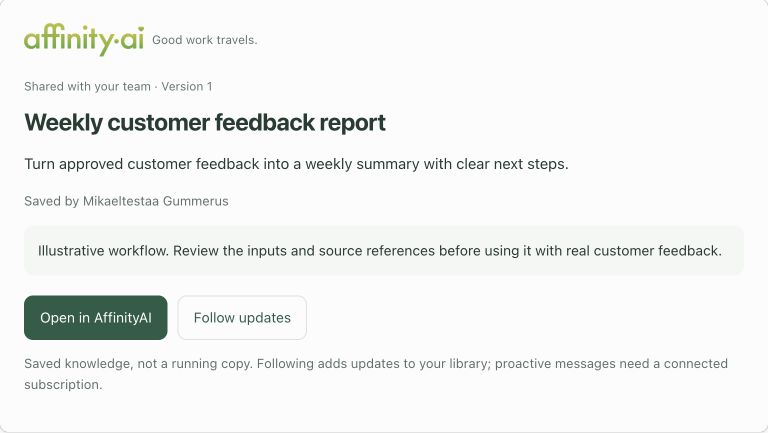
In supported ChatGPT clients, a card appears with the saved workflow, creator, sharing and version. You can open the full record or choose to follow it. The assistant keeps the capture lightweight; a card is a view of saved knowledge, not proof that an automation ran.
Yes. An adapted workflow keeps its original reference. You can compare the original’s changes with your version, keep your customisations and approve selected improvements. The saved update preserves history; it does not silently rewrite source code or deploy anything.
Not yet. The pilot supports following, an Updates view and asking your connected assistant what changed. Proactive ChatGPT notifications depend on a supported subscription and have not yet been verified. Following does not give AffinityAI access to everyone’s chats.
A workflow can be an end-to-end automation or a useful repeatable method. It might live in a repository, a Sites project, Make, n8n, a custom GPT or one person’s AI setup. AffinityAI keeps the instructions and references a colleague needs, including known limits. Saving it does not copy the running app or its permissions.
Our direction is shared memory across the AI tools your team prefers. ChatGPT cards and Slack discovery are in the pilot; Claude and Gemini connections are not yet verified. Exports can give another assistant a starting point. The automation still needs its own tools, accounts and setup, and may need adapting.
Those tools can help teams share context and reusable capabilities. AffinityAI focuses on a shared catalogue across the places you build: what exists, where its source lives, how to use it and what the team has learned. Keep using the tools that work for you.
The current test stores workflow instructions, source references, versions and history. It does not run automations, transfer access or automatically back up code. A source-capable assistant can help arrange an approved backup separately where export is supported.
Yes, by keeping the purpose, source, setup and dependencies in a shared record outside the original tool. Exporting that record gives a colleague or another AI assistant a better starting point for adapting the workflow elsewhere, including outside AffinityAI. Code, exports, licences and platform-specific features determine what can actually move; automatic migration is not part of the current test.
Yes. In the test workspace, export an individual workflow or your accessible library as readable Markdown or structured JSON. Include previous content versions and discussion only when you choose. The copy keeps the saved instructions, source references and setup; it does not contain the source code, credentials or a running app. Taking your records with you does not require staying in AffinityAI.
They can request an export through the connected assistant or open Technical details in the library. A skill package is also available: a reusable method becomes a procedure reference; a hosted automation becomes a handover reference. It does not install integrations or make every automation runnable in another AI tool. These options stay tucked away during everyday use.
The test workspace keeps dated source-check records separately from workflow versions. An assistant with access to a Sites project can inspect it and record the observed version and evidence, clearly labelled as an assistant report. Read-only GitHub checks for selected repositories are being prepared for the pilot. Checks are requested, not continuous monitoring, and do not prove that the automation runs successfully.
Their shared workflow record gives the team a starting point for continuity: source location, setup, recorded maintainer, access requirements and history. Before closing accounts, arrange company ownership and access to the underlying code, services and credentials. A record alone cannot keep an automation running or recover a departing colleague’s private accounts.
Companies of 5–200 people where useful automations are being built, but colleagues don’t always know they exist or how to use them. Start with one useful workflow and one teammate who could benefit.
We’re developing this new direction. Request early access and we’ll get in touch about trying it with your team. Joining the list doesn’t create a paid subscription.
Something good is taking shape
Start with one automation your team would love to reuse.
Get early access